Piso WiFi pause time on every device
Exact steps for Android phones, iPhones and Windows laptops.

You drop a coin, the timer starts, and then dinner's ready. Piso WiFi pause time is the button on the vendo's portal that freezes your countdown, so the minutes you paid for wait until you're back. Here's how to pause at 10.0.0.1, resume on the same phone, and fix the button when it won't show.
The 10.0.0.1 button works only while you are connected to a Piso WiFi network.
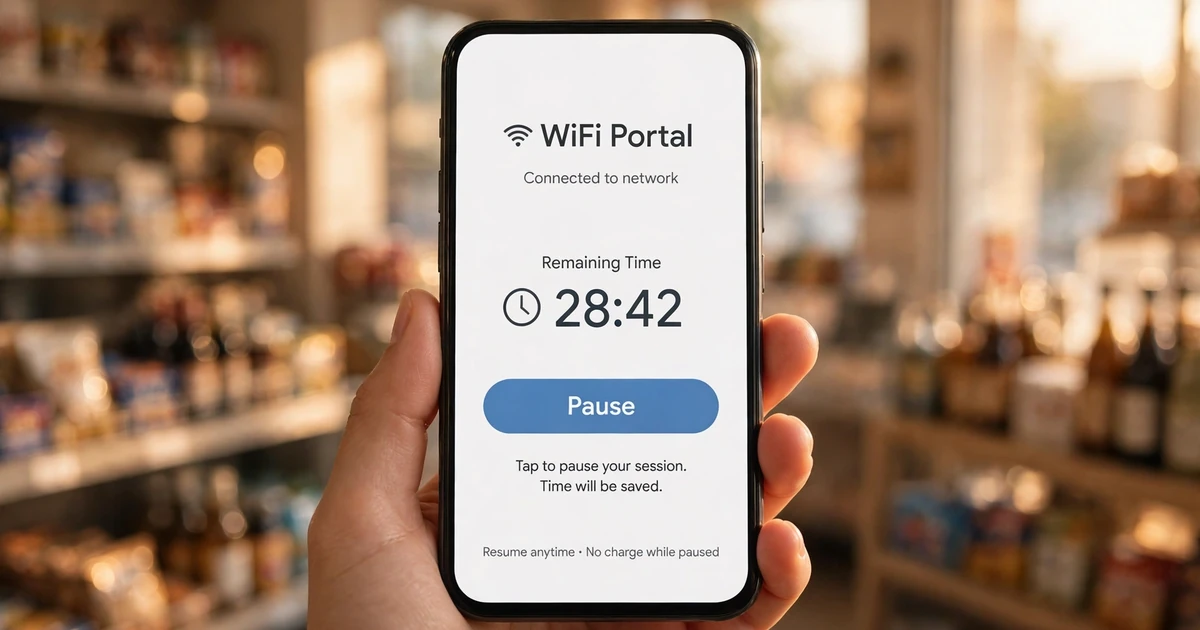
Piso WiFi pause time is a portal feature that stops your session's countdown at 10.0.0.1. Your remaining minutes stay saved on the vendo while you're offline. Tap Resume on the same device to continue, as long as the owner allows pausing.
Picture the usual setup: a coin box hangs on a wall or sits on a sari-sari store counter, and it sells internet by the minute. You feed it coins, and TP-Link Philippines notes that vendos can also take QR codes, GCash and Maya.
Piso WiFi pause time is the one feature that protects what you paid. TP-Link Philippines describes it as a feature that "temporarily freezes your internet timer". No running timer means no lost minutes.
Simple, right? Mostly, but the owner decides whether your vendo shows the button at all.
Four pieces work together every time you pause:
The address 10.0.0.1 sits inside a private block, 10.0.0.0 to 10.255.255.255, set aside for local networks by RFC 1918. Your phone reaches it only while it's joined to the vendo's WiFi. On mobile data, the page won't load. That's not a bug.
New to coin internet? Start with what Piso WiFi is and how a vendo sells time.
Connect to the vendo's WiFi, open 10.0.0.1 in your browser, and tap Pause. Your countdown stops right away. When you're back, open 10.0.0.1 again on the same phone or laptop and tap Resume to carry on where you stopped.
You need four steps. The portal looks different from vendo to vendo, but the flow underneath stays the same.
Turn off mobile data first, then join the Piso WiFi network. Android checks every new network for a login page, as Google's captive portal documentation explains, and shows a sign-in prompt when it finds one. Tap the prompt.
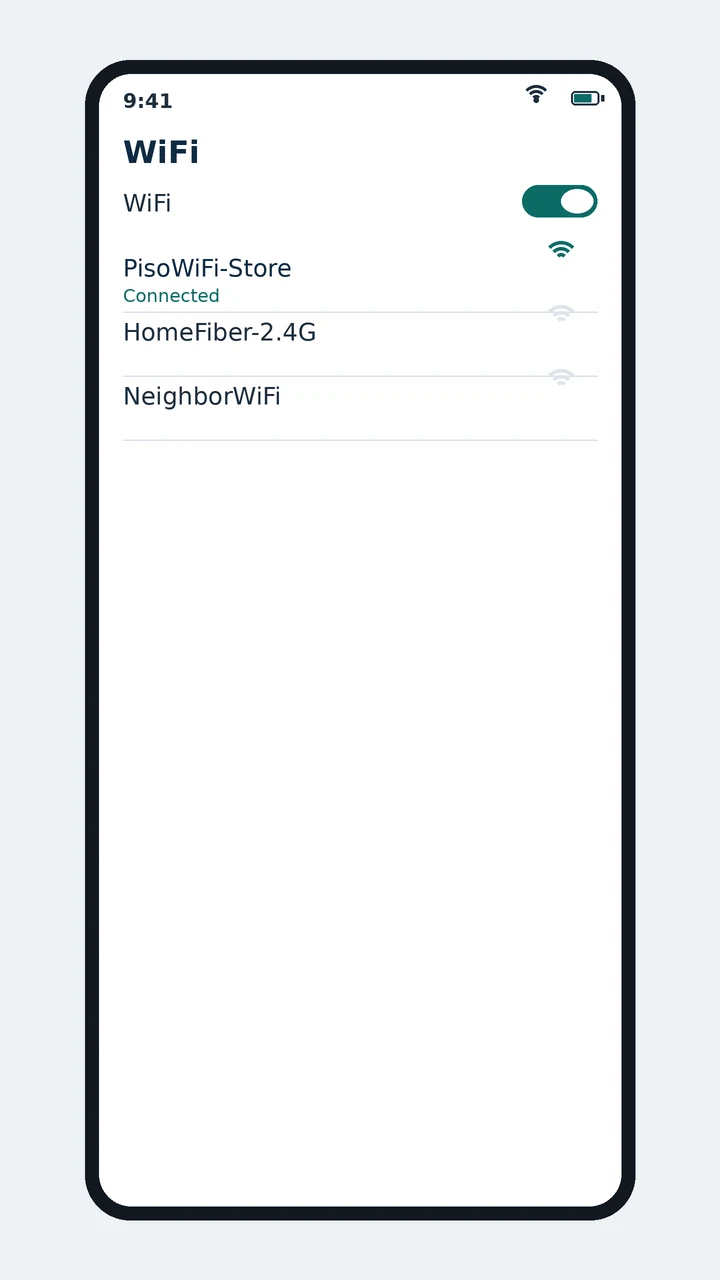
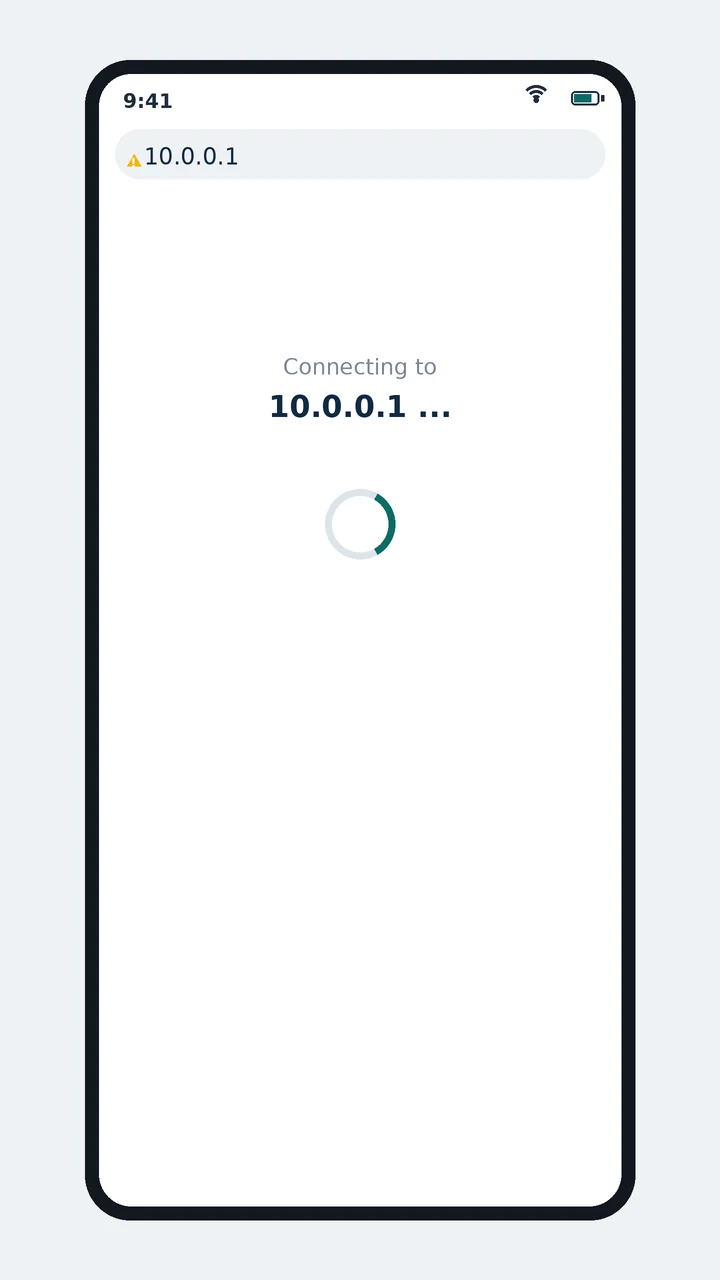
No prompt? Open your browser and type 10.0.0.1 in the address bar, not the search box. Watch the dots, too, because typos like 10.0.0.0.1 and 1.0.0.0.1 have five numbers and will never load.
Does the portal ask you to log in before it shows your time? Our guide to signing in at 10.0.0.1 covers that screen.
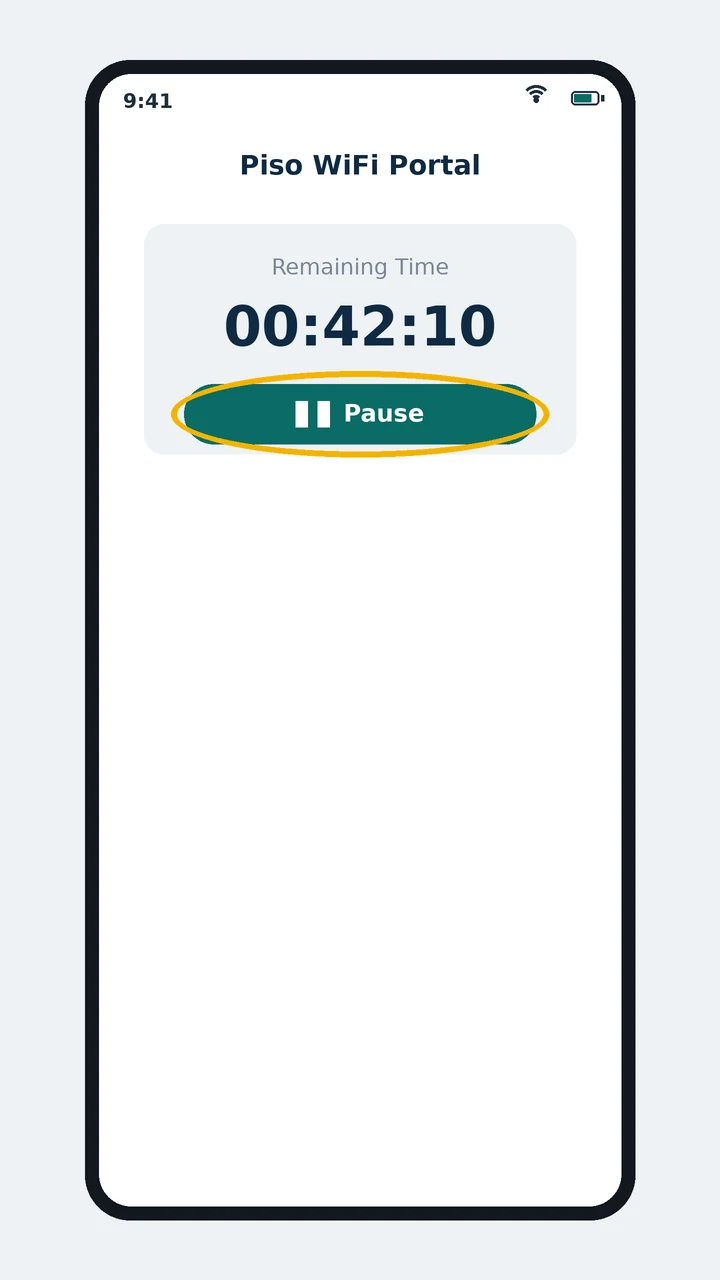
Find the Pause button and tap it. Where it sits depends on the vendo software, so learn every button on the portal if you can't spot it.
Now check your remaining time. Has the number stopped dropping? Then your Piso WiFi pause time has started. And yes, your internet stays off until you resume.
Back on the same WiFi, open 10.0.0.1 again and tap Resume. Use the phone or laptop you paused with. Vendos match your session by device, so your friend's phone won't see your saved minutes.
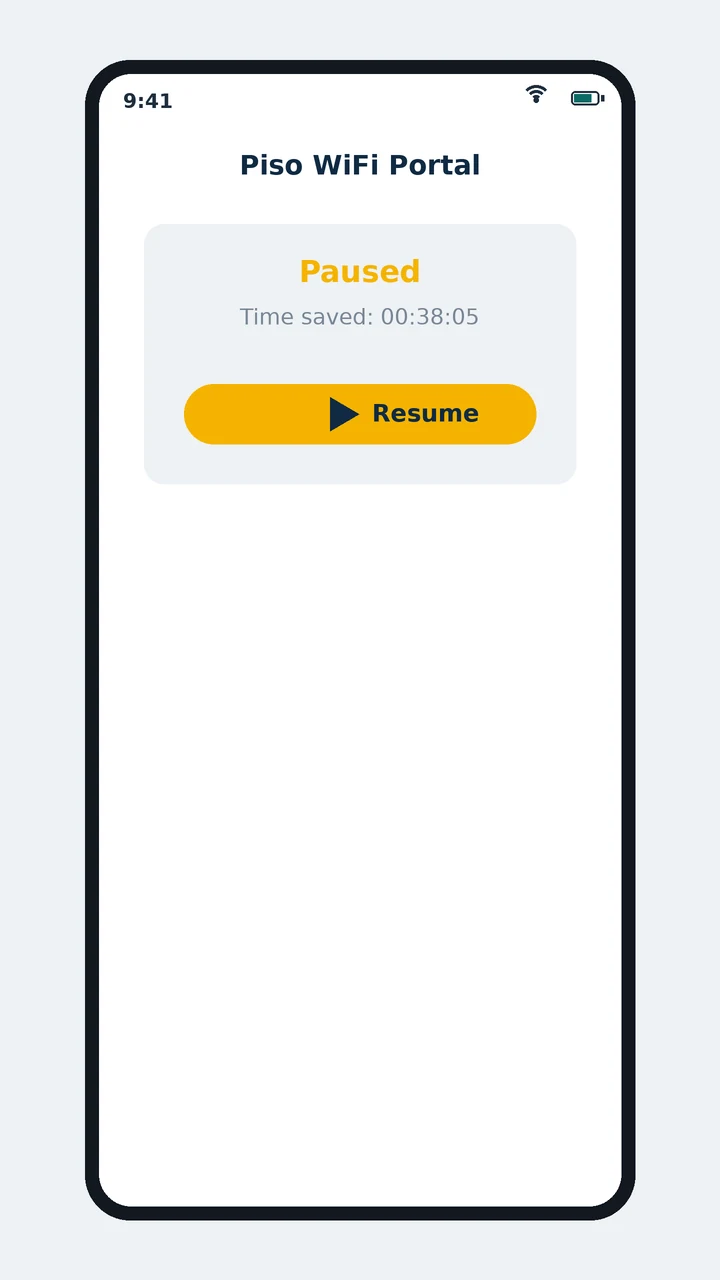
Each vendo owner sets the Piso WiFi pause time limit, so it changes from machine to machine. TP-Link Philippines reports a 60-minute default on LPB vendos, adjustable from 10 minutes to 24 hours. Miss the deadline and your saved minutes are gone, so resume early.
Here's the thing: a pause isn't a savings account. Owners earn by the minute, so they cap it. TP-Link Philippines and the JuanFi project describe these Piso WiFi pause time limits:
| Vendo software | How pause is limited | Source |
|---|---|---|
| LPB Piso WiFi | Maximum pause length. Default 60 minutes; owners can set 10 minutes to 24 hours. Owners can also require a minimum amount of time left before you can pause. | TP-Link Philippines |
| AdoPiSoft | A number of pauses per session, not a time limit. TP-Link suggests 3 to 5. | TP-Link Philippines |
| JuanFi | "Pause expiration" is a listed feature of this open-source software. | JuanFi README on GitHub |
| Any vendo | Abandoned paused sessions expire, typically after 24 hours. | TP-Link Philippines |
Say you pause with 42 minutes left at 7:00 pm on an LPB vendo set to the 60-minute default. Resume by 8:00 pm and all 42 minutes come back. Resume at 8:10 pm and they're gone.
That is the whole trade-off.
Yes. Piso WiFi pause time runs on a normal web page at 10.0.0.1, so pausing works the same on Android phones, iPhones and Windows laptops, in any browser. You don't need an app. The usual blockers are browser security settings and a custom Private DNS.
Let's look at three everyday setups:
Skip the app stores. Nothing needs installing to pause, and an app promising free extra minutes is a red flag in our book. Before you download anything, check whether a pause time app exists.
Start with five checks: pause is switched off, the portal page is cached, you're on mobile data, you're resuming from another device, or the pause outlasted the owner's limit. Go through them in that order before you insert another coin.
Now that you know how pause should work, here's how to read what went wrong:
| What you see | What to try |
|---|---|
| No Pause button on the portal | The owner hasn't switched pause on, so ask them. Also reload the portal or open it in a private tab, in case your browser shows an old copy. |
| Pause refused with little time left | LPB owners can require a minimum amount of time left before you pause. Pause earlier next time. |
| 10.0.0.1 won't load | Make sure you're on the vendo's WiFi with mobile data off. If you set a custom Private DNS on your phone, switch it to Automatic or Off, then turn WiFi off and on. |
| Resume doesn't bring your time back | Check that you're on the device you paused with. If you are, the pause passed the owner's limit. |
| Time disappeared while paused | Show the owner your screenshot and the time you paused. They can check the session in the admin panel. |
Still stuck? Work through our fixes for a pause button that won't work. And if the portal asks for a code before it pauses, read about the pause time password first.
Owners switch Piso WiFi pause time on in the vendo's admin panel, then set its limits. The menu path changes with the software, such as LPB, AdoPiSoft or JuanFi. Once pause is on, every customer sees a Pause button on the 10.0.0.1 portal.
Every owner makes three calls:
Our take? Leave Piso WiFi pause time on with a sensible cap. Losing 40 paid minutes to a dinner break is the kind of thing customers remember about a vendo.
Our owner guide shows vendo owners how to turn on pause time on their machine, step by step.
Every fact on this page comes from a public source: TP-Link Philippines' Piso WiFi pause time article, the RFC 1918 standard, Google's Android and Chrome documentation, and the JuanFi and AdoPiSoft project pages. Each one is linked below so you can check it.
These six questions cover whether pausing really saves minutes, why 10.0.0.1 fails on mobile data, resuming on another phone, how long a pause lasts, the right address, and apps. Each answer below is short, direct and sourced from this guide.
Yes. Your countdown stops while you're paused, and the minutes wait for you. Just resume before the owner's limit runs out.
Because 10.0.0.1 is a private address. The page only exists inside the vendo's WiFi, so switch off mobile data and join the Piso WiFi network first.
Usually not. Vendos tie your session to the device you paid on, so resume from that same phone or laptop.
As long as the owner allows. TP-Link Philippines says LPB vendos default to 60 minutes, and owners can set anything from 10 minutes to 24 hours.
No. An IPv4 address has exactly four numbers, so 10.0.0.0.1 and 1.0.0.0.1 are typos. Type 10.0.0.1.
No. You pause on the 10.0.0.1 web page, so any phone or laptop with a browser works.
Work through the Piso WiFi pause time fixes in order, or learn what each part of the portal does.