Pause Not Working
The portal opens but Pause will not show or tap.

Searching for a Piso WiFi pause time app? Here is the honest answer: there is no single official one, and you do not need one. The portal at 10.0.0.1 is the real Piso WiFi pause time app: it opens in any browser and holds the Pause button. This guide lists the actual Play Store apps, the owner-only brand apps, and the ones to avoid, so you install nothing you will regret.
The 10.0.0.1 button works only while you are connected to a Piso WiFi network.
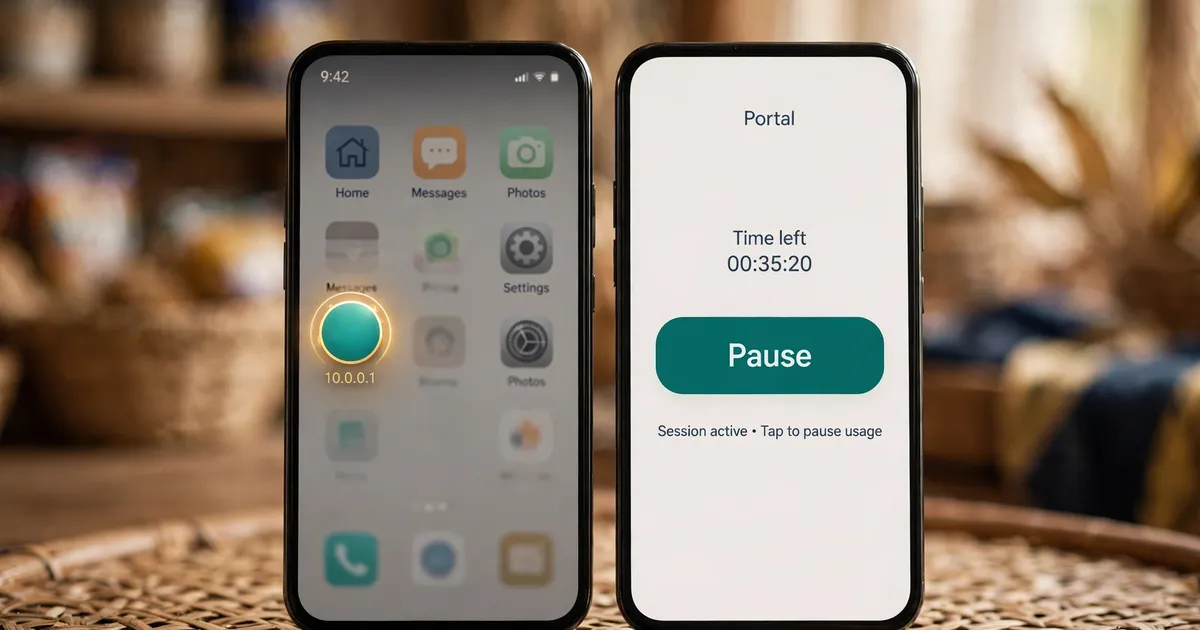
No. No single company makes every Piso WiFi machine, so no one app can pause them all. Each vendo runs different software. The portal page at 10.0.0.1 is the real Piso WiFi pause time app: it works in any browser with nothing to install.
Think of it this way: the vendo's router counts your minutes, and the portal is its remote control. A Piso WiFi pause time app would just be a prettier window onto that same page. If the portal asks for a password before it shows your time, read the pause time password guide first.
For the full walkthrough of pausing and resuming, read the full pause guide. It covers the same portal this page calls the app, step by step.
A few, but read the developer name first. PisoWIFI Manager by MikeSoft PH opens your portal faster on Mikrotik and Raspberry Pi hotspots. Piso Wifi Admin by Franklin Mancao Jr manages the owner's admin panel. Neither is an official Piso WiFi pause time app.
The names sound alike, so here is what each Piso WiFi pause app on Google Play actually does, according to its own listing:
| App | Developer | Made for | Pause button? |
|---|---|---|---|
| PisoWIFI Manager | MikeSoft PH | Customers who want the portal one tap away | No. It opens the portal, where you tap Pause |
| Piso Wifi Admin | Franklin Mancao Jr | Vendo owners | No. It manages the admin panel at 10.0.0.1 |
| LPB APP | LPB TRADING CORPORATION | LPB kiosk operators and owners | No. Machine, license and wallet tools |
| Piso2Wifi Manager | Piso2Wifi | Operators | No. Cloud access and machine settings |
PisoWIFI Manager is the closest thing to a customer-facing Piso WiFi pause time app: its listing says it exists to "easily access the portal" on Mikrotik, Raspberry Pi and Orange Pi hotspots, and it has been on the Play Store since January 2022. Everything else in the table is built for the person who owns the machine, not the person buying minutes.
Only for owners, not customers. LPB's app manages machines, licenses, e-loading and wallets for kiosk operators and owners. PisoFi says it has no dedicated app and runs on a web dashboard instead. As a customer, the browser portal is how you pause on every brand.
LPB's own account guide puts it plainly: the current LPB APP focuses on kiosk operators and Piso WiFi owners, and a person who only wants to connect to a public hotspot may not need that kind of account at all. No brand publishes a customer-facing Piso WiFi pause time app, so the portal remains the one screen that works on every machine.
Open 10.0.0.1 in Chrome, tap the three-dot menu, then choose Install and create shortcut (older Chrome says Add to Home screen). Name the icon and tap Add. It opens the portal in one tap like a Piso WiFi pause time app, with nothing to update.
The shortcut is the closest thing to an official Piso WiFi pause time app on your phone. Five taps and it is done:
While connected to the Piso WiFi network, open Chrome and type 10.0.0.1 in the address bar so the portal loads.
Tap More, the three dots at the top right of Chrome.
Tap Install and create shortcut. On older Chrome the same item is called Add to Home screen, and it does the same job.
Edit the name if you like, for example "Piso WiFi", then tap Add or Add automatically.
Find the icon on your home screen. One tap opens the portal, ready to pause, with no Piso WiFi pause time app to keep updated.
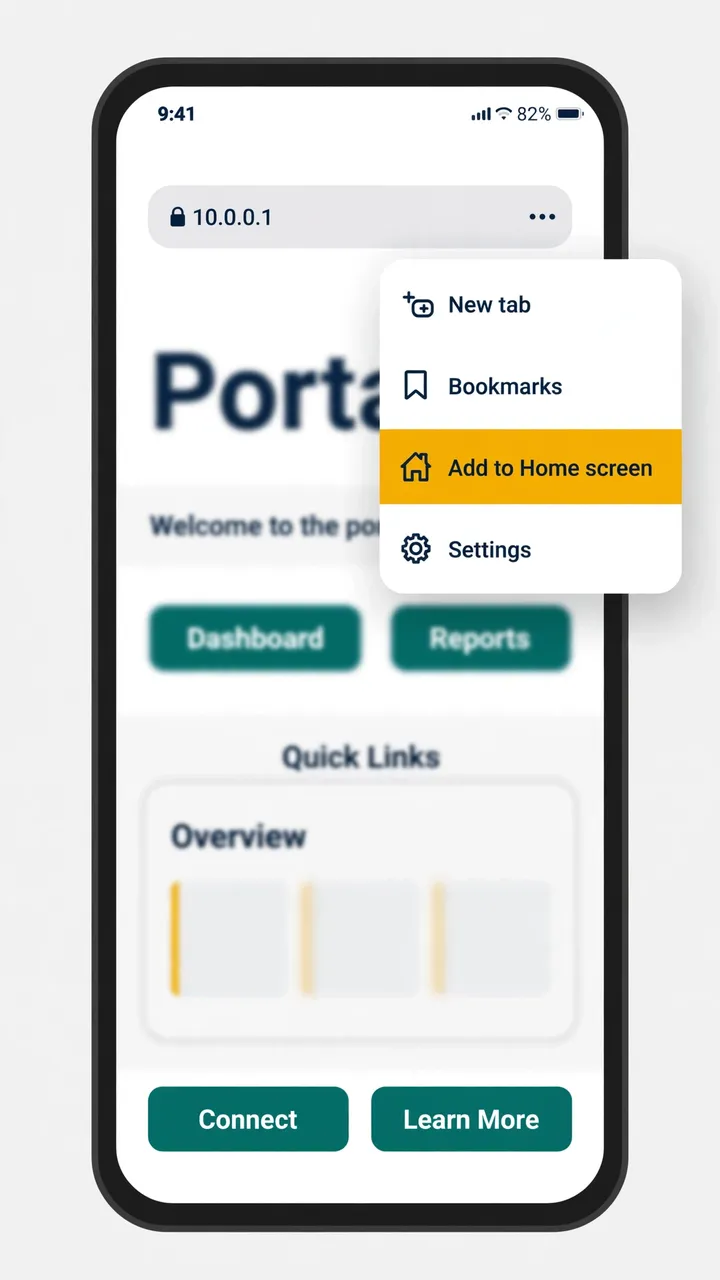
If Chrome shows a warning instead of the portal, the problem is not the shortcut. Check the Chrome settings that block 10.0.0.1 first, then add the shortcut. For more phone settings that affect the portal, our Android guide covers an Android home-screen shortcut and the network options around it.
Skip APK files from download sites outside the Play Store. They miss Google's safety checks, and one such page even mentions a WiFi hacker APK. Also skip any app whose developer has no link to a vendo brand.
Several download sites push a "PisoWIFI" APK file with a direct download button and tell you to install it without going through the Play Store. That is the opposite of safe: Google never reviewed the file, and one such page even mentions a "WiFi hacker" APK in the same breath. If an app promises free minutes or asks for permissions a simple portal shortcut would never need, delete it.
If the Pause button still will not show after the portal loads, the app is not the problem. Work through common pause problems next.
Every fact here comes from a public source: the Google Play listings for each app, LPB's own account guide, PisoFi's operator guide, the Piso2Wifi manual, and browser guides that follow Google's Chrome Help. Each one is linked below so you can check it.
These six answers cover whether you need a Piso WiFi pause time app at all, the PisoWIFI Manager listing, iPhone options, why the Play Store lists all these similar apps, APK safety, and whether an app pauses faster than the browser.
No. The Pause button is on the 10.0.0.1 portal page, so any browser works. The portal is the Piso WiFi pause time app most people are looking for.
No. It is a third-party tool by MikeSoft PH that opens your portal faster on Mikrotik, Raspberry Pi and Orange Pi hotspots. It does not come from any vendo brand.
No iPhone app exists for this. On an iPhone, open Safari, type 10.0.0.1, and tap Pause. Safari's Share menu can also add the portal to your Home Screen.
Because independent developers publish portal shortcuts, admin tools and owner apps under similar names. Check the developer name and the description to see who each Piso WiFi pause time app is really made for.
No. APK files from outside the Play Store skip Google's safety checks. One download page even describes its file as a WiFi hacker tool. Use the Play Store or the browser portal instead.
No. The vendo's router counts your minutes, so pausing works the same whether you tap Pause in an app or in Chrome. An app only changes how the screen looks.
Open 10.0.0.1 and pause your time now, or fix a Pause button that will not show.