Pause time on Android
Sign-in prompt, mobile data and Private DNS, step by step.

Watch a queue at any vendo and you'll see three kinds of screens: Android phones, iPhones and the odd laptop. Piso WiFi pause time works on all of them, because the Pause button lives on the vendo's 10.0.0.1 page. What changes is how each device finds that page, and which setting gets in the way.
The 10.0.0.1 button works only while you are connected to a Piso WiFi network.
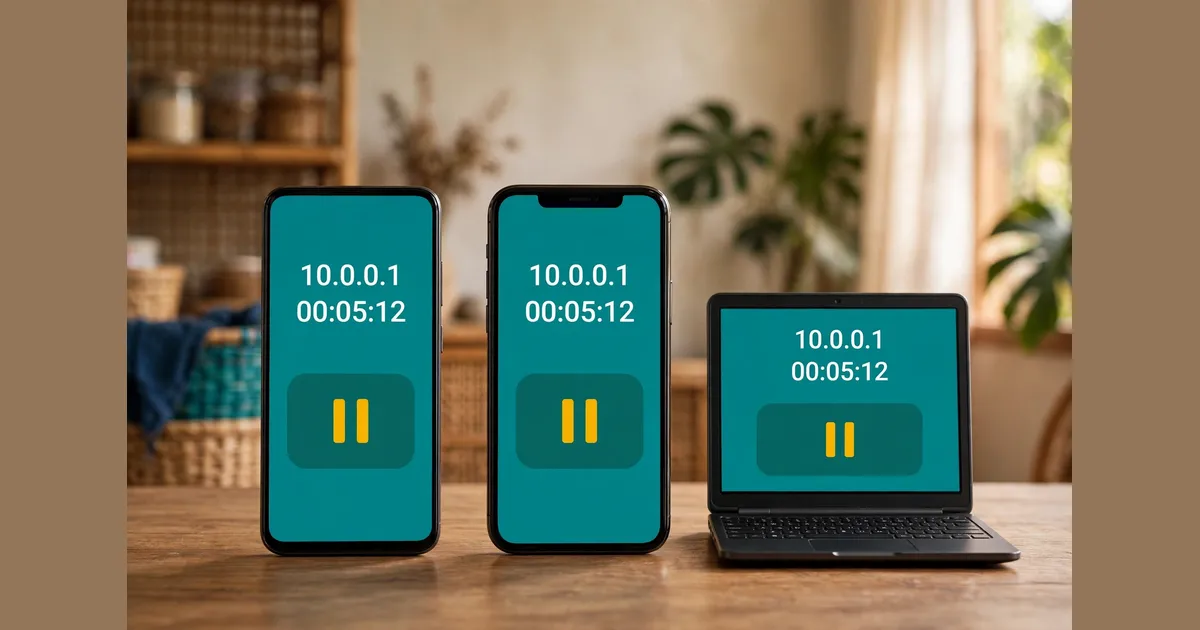
Yes. The vendo serves one portal page at 10.0.0.1, and every phone or laptop sees the same Insert Coin, remaining time and Pause buttons. Only two things change by device: how the portal pops up, and which setting blocks it.
Here's the thing. The vendo doesn't know or care what you're holding. It sees a device join its WiFi, holds it behind the portal, and waits for coins.
So Piso WiFi pause time comes down to the same three moves everywhere:
The full walk-through, with screens and limits, sits in the main pause guide. This hub covers what's different on each device.
Turn off mobile data, join the vendo WiFi, and tap the "Sign in to network" prompt Android shows. If no prompt appears, open Chrome and type 10.0.0.1. Pay on the portal, then pause your Piso WiFi time before you walk away.
Android has looked for a login page on every new network since Android 5.0, according to Android Developers. That check is why the sign-in prompt usually appears on its own, so Piso WiFi pause time on Android starts with one tap.
Two Android settings cause most failures:
Android phones get their own guide, with every menu path and the fixes in order. Galaxy owners should also check the Samsung-only settings covered in the Chrome section.
Open Settings, tap Wi-Fi, tap the vendo network, and wait for the login screen. Pay there, but don't tap Cancel, because Apple says Cancel disconnects you. To pause later, open Safari, type http://10.0.0.1 and tap Pause on the portal.
Apple calls a vendo network a captive Wi-Fi network: a public network you pay for before it lets you online. The iPhone spots one and slides up a small login screen.
No login screen? Apple's own fix is to tap the info button next to the network name, then tap Join Network. That same info page holds the Auto-Join and Auto-Login switches. With Auto-Login off, the iPhone shows the Welcome screen the next time you connect.
That login screen is easy to lose, so we'd skip it for pausing. Bookmark http://10.0.0.1 in Safari and you can pause your Piso WiFi in two taps. Using Firefox or Opera on the phone instead? Read the guide to Safari and other browsers for the setting each one hides.
iPads handle Piso WiFi pause time with the exact same steps, because Apple's guide covers iPhone and iPad together.
Join the vendo WiFi from the taskbar, then click the "Action needed" notice if Windows shows one. No notice? Open Edge, Chrome or Firefox and type 10.0.0.1. Pay on the portal, tap Pause before you close the lid, and Resume when you return.
Laptops are the odd one out for Piso WiFi pause time. Windows runs a background check for portals, but it shows a quiet notification rather than a full sign-in screen. Most people never notice it.
When the portal won't load at all, the usual cause is a stale DNS cache. Running ipconfig /flushdns in an administrator Command Prompt clears it. A VPN or a leftover proxy setting blocks the portal too.
Our guide for Windows 10 laptops has the full DNS flush, the proxy path and the metered-connection trick. And if Chrome on the laptop shows a warning page first, the Chrome fixes cover the secure-connections setting.
Each device has one usual blocker. Android phones trip on mobile data and Private DNS, iPhones on a cancelled login screen, and Windows laptops on a stale DNS cache or a VPN. The table pairs each device with how the portal appears and the fix.
| Device | How the portal appears | Usual blocker | Quick fix |
|---|---|---|---|
| Android phone | "Sign in to network" prompt | Mobile data on, custom Private DNS | Data off; Private DNS to Automatic |
| iPhone or iPad | Login screen slides up | Tapping Cancel | Settings, Wi-Fi, tap the network again |
| Windows laptop | "Action needed" notice, or nothing | Stale DNS cache, VPN or proxy | ipconfig /flushdns; VPN off |
| Any device | Type the address yourself | Typing https:// or a wrong address | Type http://10.0.0.1 in full |
Every fix in the table only lets the device reach the vendo, so you can pause Piso WiFi. None of them change your coins, your rate or your saved minutes.
No. The vendo ties your paused minutes to the device that paused them, matched by IP or MAC address, says TP-Link Philippines. Resume on the same phone or laptop. A second device needs its own coins and starts its own Piso WiFi pause time.
That surprises people who pay on a phone and then open a laptop. The laptop is a stranger to the vendo, so it lands on the portal with zero time.
One more catch on iPhones. Apple gives each network a private Wi-Fi address, and on networks with no password the default is Rotating, which changes every 2 weeks. A new address looks like a new device to the vendo, so set Private Wi-Fi Address to Fixed for the vendo network.
Android 10 and later randomise the address too, but Android's documentation says the random address stays the same for each saved network by default.
Pause limits come from the owner, not your device. TP-Link Philippines says LPB vendos hold a pause for 60 minutes by default, and owners can set anything from 10 minutes to 24 hours.
Every device fact here comes from a public source: Apple Support for iPhone and iPad, Android's own documentation for Android phones, TP-Link Philippines for pause matching and limits, and Microsoft-focused guides for Windows. Each source is linked below.
Two step-by-step guides sit under this page. One covers Android phones, from the sign-in prompt to Private DNS. The other covers Windows 10 laptops, from the "Action needed" notice to the DNS flush. iPhone steps live on this page.
Sign-in prompt, mobile data and Private DNS, step by step.
Open 10.0.0.1 on a laptop and fix a portal that won't load.
These six answers cover tablets, using two devices at once, private WiFi addresses, the iPhone Cancel button, why laptops show no pop-up, and whether the Pause button looks different on each device. Each one helps you pause Piso WiFi faster.
Yes. An Android tablet follows the Android steps, and an iPad follows the iPhone steps, since Apple's captive Wi-Fi guide covers both.
No. The vendo tracks each device by its IP or MAC address, so every phone or laptop pays for its own time and pauses its own session.
Your device showed the vendo a new WiFi address. On an iPhone, a Rotating private address changes every 2 weeks on open networks, so choose Fixed for the vendo network.
Apple says the iPhone disconnects from the network. Go back to Settings, tap Wi-Fi, tap the vendo name again and finish on the login screen.
Windows shows a small "Action needed" notice instead, and it's easy to miss. Open your browser and type 10.0.0.1 yourself.
No. The vendo builds the portal page, so the Pause button, your remaining time and the coin options look the same on every device.
Open 10.0.0.1 and pause your time now, or fix a portal that will not load.