Starlink Piso WiFi pause time
Pause and resume on a vendo running on Starlink.

Out past the fiber lines, in island barangays and mountain sitios, a white dish on a roof now feeds the local coin vendo. Starlink Piso WiFi is exactly that: an ordinary vendo whose internet comes from Starlink's satellites instead of a fiber or LTE line. The portal, the coins and the Pause button stay the same. The terms don't, and that's where most new owners get caught.
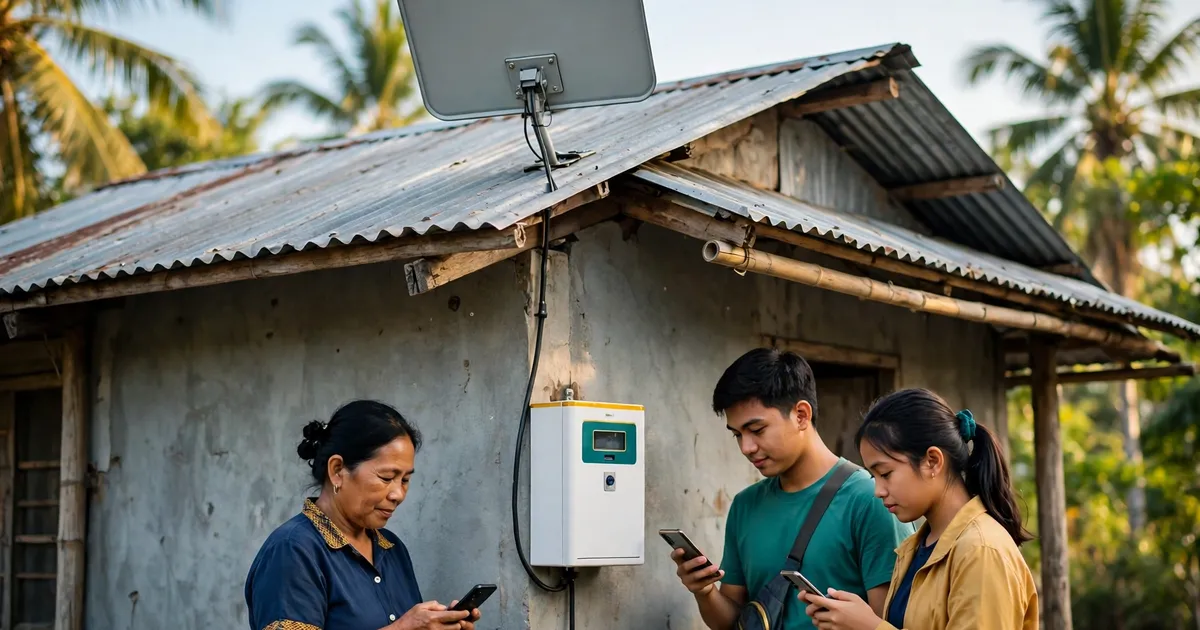
Starlink Piso WiFi is a coin-operated WiFi vendo that gets its internet from a Starlink satellite dish instead of fiber or a mobile SIM. Customers still join the vendo's WiFi, open 10.0.0.1, insert coins and pause their time. Only the owner's upstream line changes.
Starlink went live in the Philippines in February 2023. At launch, The Philippine Star reported ₱2,700 a month for residential service. That bought speeds up to 200 Mbps, and the hardware cost ₱29,320.
Rural areas drove the growth. In March 2026, the same paper cited Opensignal data. Starlink's share of people switching from other networks rose to 4.3% in late 2025, while its urban share fell to 0.7%.
Everything inside a Starlink Piso WiFi vendo works as in a standard Piso WiFi setup: coin slot, control board, router and portal. Starlink just replaces the wire coming in.
Only on the right plan. Starlink's Philippine terms ban reselling access unless Starlink authorises it. The exception is a Priority Plan, which may be resold as community WiFi or a hotspot, such as to hotel guests or boat passengers. A residential plan isn't covered.
The terms come from Starlink Internet Services Philippines, Inc. The no-resale clause covers stand-alone, integrated and value-added services. Acting as an agent doesn't get you around it. A breach can end in termination.
And Starlink is enforcing it against Starlink Piso WiFi resellers. In March 2026, The Philippine Star reported that Starlink emailed residential subscribers reselling their connection as Piso WiFi. It told them business use breaks its terms, and it cut their speeds for the rest of the billing cycle.
Our take? Price your Starlink Piso WiFi business on a Priority Plan from day one. A cheap residential plan that gets throttled mid-month isn't cheap.
Run an Ethernet cable from the Starlink router's Ethernet port to the vendo router's WAN port. The Gen 3 router has the ports built in. The older Gen 2 needs Starlink's Ethernet adapter. The vendo then treats Starlink like any internet line.
DishyTech's setup guide lists the steps:
Bypass mode is optional, but it's tidier for a Starlink Piso WiFi vendo. It switches off the Starlink router's own WiFi and DHCP, so customers only see the vendo network. Expect the app to show "Disconnected" afterwards; DishyTech says that's normal.
Changing your mind later takes a factory reset of the Starlink router: the reset button on Gen 3, or six power cycles in a row on Gen 2.
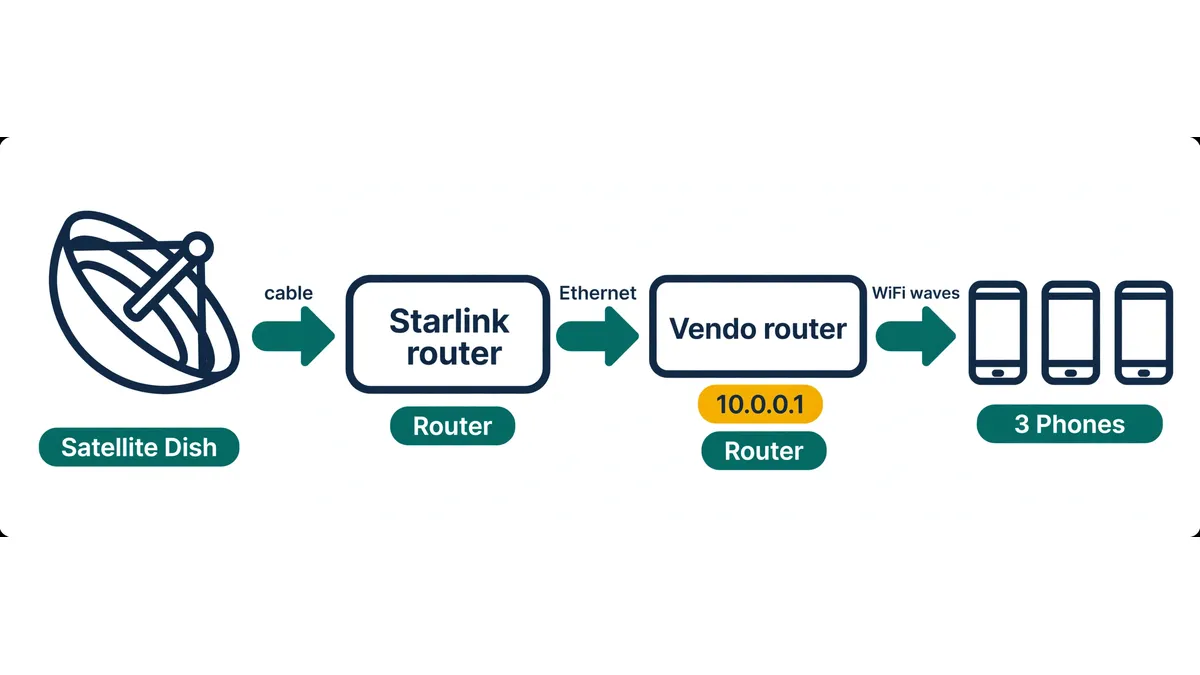
Yes. The vendo's own board serves the 10.0.0.1 portal and admin page, not the Starlink router. Customers join the vendo WiFi and open 10.0.0.1 as usual, and owners reach the admin page at 10.0.0.1/admin. Starlink only carries traffic once someone has paid.
The address 10.0.0.1 sits in a private range set aside by RFC 1918, so it lives only inside the vendo's own network. That's why searches like "10.0 0.1 starlink piso wifi" have a simple answer: the satellite link never touches the portal address.
Customers who can't reach the portal on a Starlink Piso WiFi vendo hit the same blockers as anywhere else, such as mobile data or a VPN. Our guide to the 10.0.0.1 login covers those fixes step by step.
Starlink's Philippine terms list the Standard Kit at ₱28,000 retail. A promo price of ₱6,250 comes with a 12-month Residential Unlimited commitment and an early termination fee. That promo plan is residential, so it doesn't suit a Starlink Piso WiFi business.
| Item | Price | Source |
|---|---|---|
| Standard Kit, recommended retail price | ₱28,000 | Starlink Philippine terms |
| Standard Kit with a 12-month Residential Unlimited term | ₱6,250 | Starlink Philippine terms |
| Termination fee after 6 of 12 months (terms' own example) | ₱10,875 | Starlink Philippine terms |
| Hardware at launch, February 2023 | ₱29,320 | The Philippine Star |
| Residential monthly fee at launch | ₱2,700 | The Philippine Star |
The terms we read don't list a Priority Plan price, so check it on Starlink's site before you budget. Then add the vendo itself; the home business guide has TP-Link's start-up costs for the machine.
Yes, if the owner turns pause on. Pause lives in the vendo's software, not in Starlink, so it works as on fiber. TP-Link Philippines says LPB vendos hold a pause for 60 minutes by default. Owners can set 10 minutes to 24 hours.
On Starlink Piso WiFi, customers tap Pause on the portal, walk away, and resume on the same phone. Our main guide shows how to pause your session step by step.
Customer steps and owner pause settings for satellite-fed vendos get their own page, our guide to pause time on Starlink vendos.
The resale rules and kit prices come from Starlink's own Philippine terms. The Philippine Star covers the 2023 launch and the 2026 speed limits on resold accounts, DishyTech covers bypass mode, and TP-Link and Circuitrocks cover the vendo side. Each source is linked below.
One step-by-step guide sits under this page. It covers pause time on Starlink-powered vendos: how customers pause and resume, and the owner's pause settings. Setup, terms and kit costs stay here on this hub page.
Pause and resume on a vendo running on Starlink.
These six answers cover residential plans, the Priority Plan, the Starlink router's own WiFi, the 10.0.0.1 admin page, what customers notice, and undoing bypass mode. Each answer is short, and every rule comes from Starlink's own terms or a cited report.
Not under Starlink's terms. The no-resale clause covers residential plans, and The Philippine Star reported throttled speeds for residential accounts resold as Piso WiFi in 2026.
A Priority Plan. Starlink's Philippine terms let Priority customers resell access as community WiFi or a hotspot to third parties.
Yes, it stays in the chain, but Bypass mode turns off its WiFi and DHCP. Your vendo router then hands out addresses and runs the only WiFi network.
At 10.0.0.1/admin on the vendo's own network, same as any vendo. The Starlink app manages the dish, not your rates or pause settings.
Not on the portal. They see the same 10.0.0.1 page, coin options and Pause button as on any fiber vendo.
Factory-reset the Starlink router. Press the reset button on a Gen 3 router, or power-cycle a Gen 2 router six times in a row.
Cost out the machine first, then lock down its admin page on day one.