Portal Buttons Guide
A guided tour of every button on the 10.0.0.1 portal.

Got a printed slip with a code like A8B2XZ? That slip holds a Piso WiFi voucher code, and the 10.0.0.1 portal is where you spend it. Read on for where the voucher box sits on the portal, how to type the code so it works first try, and what to do when the box is missing or the portal rejects the code.
The 10.0.0.1 button works only while you are connected to a Piso WiFi network.
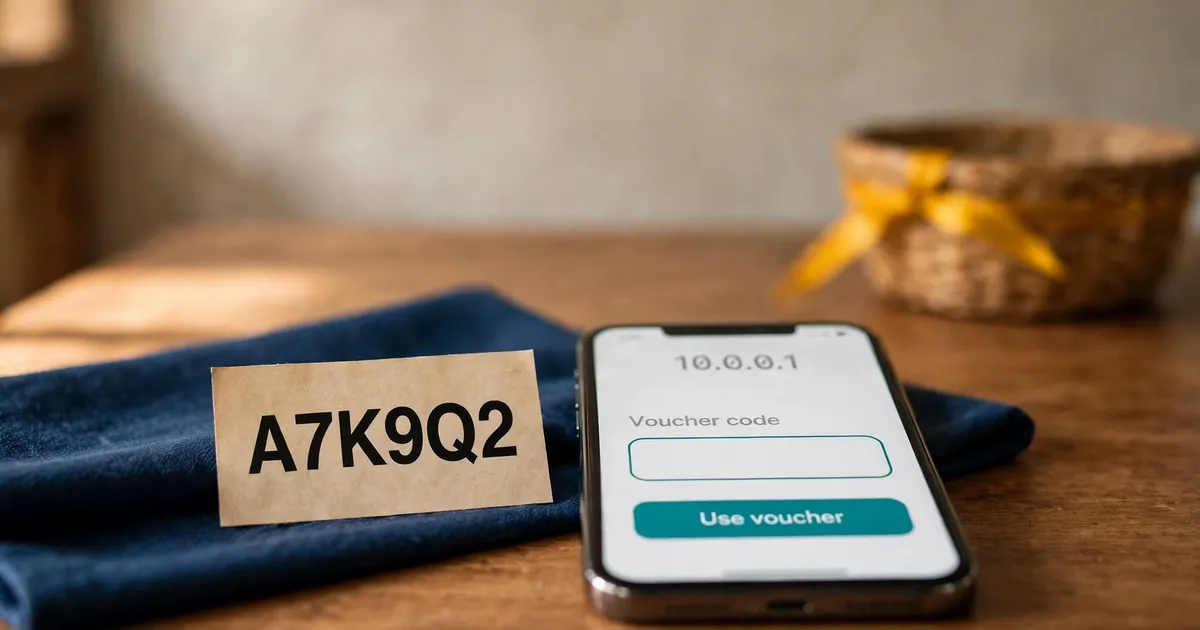
The Piso WiFi voucher box sits on the customer portal homepage at 10.0.0.1, beside the Insert Coin button. Look for a field labelled Voucher or Enter Voucher Code. The box only appears when the owner enables vouchers, so a missing box means coins only.
Open the portal while connected to the vendo WiFi and the homepage shows your payment choices side by side. Coins sit on one side, the voucher box on the other. A Piso WiFi voucher code buys prepaid time, so the box is the coin-free way onto the network. For a full tour of each button, see the portal buttons guide.
Portal software names the box differently, so learn the labels:
Connect to the vendo WiFi, open 10.0.0.1, and type the Piso WiFi voucher code into the box exactly as printed, dashes included. Tap Submit or the button beside the box. The portal adds the voucher minutes to your session, and your time appears on screen.
Five steps, about a minute. Have the slip or the message with your Piso WiFi voucher code ready before you start.
Open your phone's WiFi settings and connect to the Piso WiFi network, the one named after the shop.
Type 10.0.0.1 in the browser address bar. The customer portal loads with the coin and voucher options.
Look for the voucher field on the portal homepage. If the sign-in screen appears first, the logging in guide walks through it.
Enter the Piso WiFi voucher code exactly as printed, dashes included. Codes use capital letters and digits, so check 0 against O and 1 against I as you type.
Tap Submit or the button beside the box. The portal adds the voucher minutes at once and shows your remaining time on screen.
Every printed slip shows the same fields. Here is what a Piso WiFi voucher code slip lists:
| Field | What it means | Example |
|---|---|---|
| Code | The string you type into the portal | A8B2XZ |
| Time | Minutes the code is worth | 1h - 30m |
| Price | What the owner charged for it | 5.00 |
| Validity | How long before the code expires | 24h |
| Status | Whether the code is still unused | UNUSED |
Owners set every value when they generate the Piso WiFi voucher code, so two vouchers from the same shop can carry different time and prices.
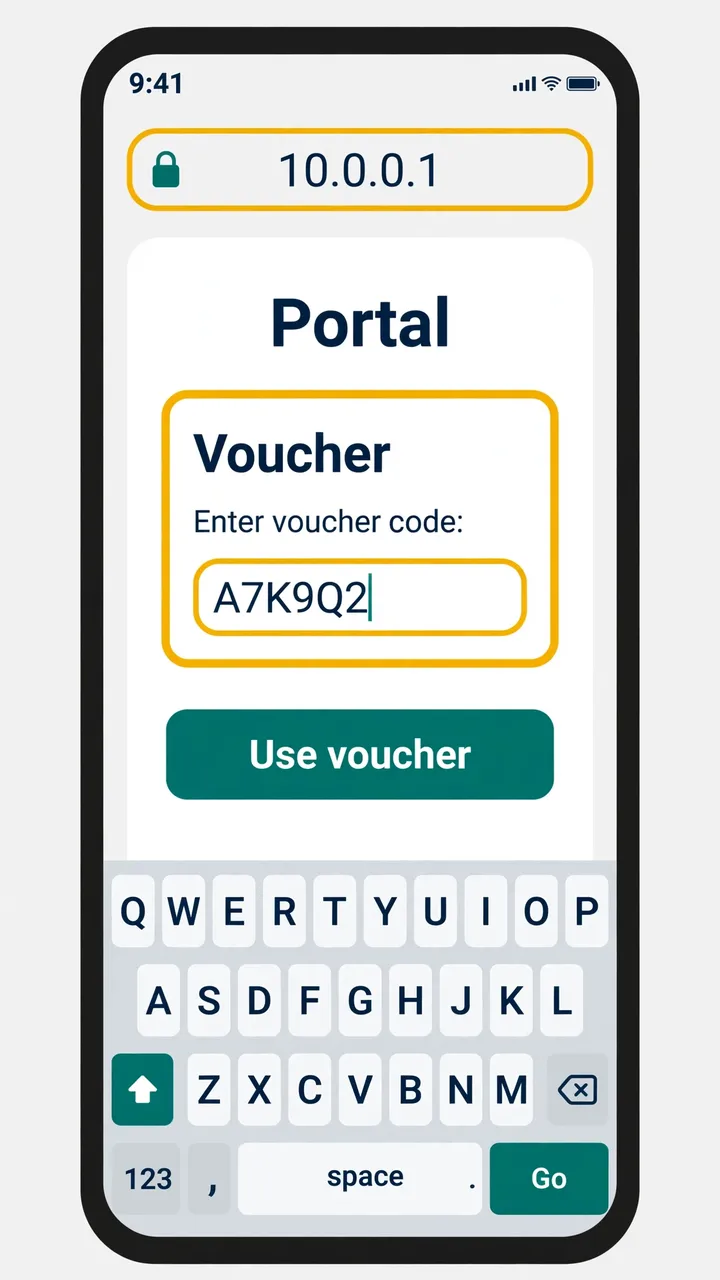
The field only shows when the owner enables vouchers on that machine. If the box vanished, the owner likely changed the setup, or you opened the wrong portal page. Ask the owner to switch vouchers back on, or insert coins instead.
The Piso WiFi voucher box is not a fixed part of the portal. Owners switch vouchers on or off in the admin panel, and the box only renders when vouchers are enabled for that machine. What you see depends entirely on how the owner set up the vendo.
Ask the owner to switch vouchers back on. Until then, insert coins for time; the coin slot works whether or not the voucher box shows.
No. A voucher code buys internet time: type it in and the portal starts your session. A password guards the pause feature or the owner's admin panel instead. On coin-free machines the voucher is the only code you type, so the two get mixed up.
Think of the Piso WiFi voucher code as money and the password as a lock. The voucher code buys a block of internet time, and the portal spends it the moment you type it in. A password protects the pause feature or the owner's admin panel. Full details live in the voucher vs password guide.
The portal rejected the code. The usual causes are expiry, a code already used, or a typo in what you typed. Re-enter the code slowly, checking 0 against O and 1 against I. If it still fails, ask the owner for a fresh code.
An invalid Piso WiFi voucher code message is the portal telling you it cannot match what you typed to a live voucher. The code is either dead or mistyped; the portal never explains which, so work through both.
Buy vouchers from the owner or a nearby retailer shop, and confirm the time value and expiry with the seller before you pay.
Only the owner decides. On PisoFi machines each voucher batch carries an Allow session pause toggle. Redeem the code and look for Pause: if the button shows, your voucher pauses; if it never appears, the owner switched pausing off for that batch.
Voucher time behaves like coin time once the portal accepts the Piso WiFi voucher code. The difference is set when the owner generates the batch. On PisoFi machines the WiPass batch carries an Allow session pause toggle, so pausing works only on batches where the owner switched it on.
Read the pausing a voucher session steps in the pause guide for the full walkthrough.
A voucher also survives disconnects better than a coin session. The minutes are tied to the code, not your phone, so a dropped connection or a machine restart does not eat your time.
Every fact on this page comes from public sources: PisoFi's operator guide for WiPass vouchers, LPB's voucher generator pages, and independent guides to the 10.0.0.1 Piso WiFi voucher code. Each source is linked below so you can verify every claim yourself.
These six answers cover vouchers versus passwords, invalid-code errors, using one code on two phones, expiry dates, pausing a voucher session, and where to buy a Piso WiFi voucher code from a nearby seller today.
No. A voucher code pays for internet time, while a password guards the pause feature or the owner's admin panel. The voucher is the only code you type on coin-free machines.
The code expired, was already used, or you mistyped it. Re-enter it slowly, checking 0 against O and 1 against I. Ask the owner for a fresh code if it still fails.
Usually not. Most codes allow one device, and PisoFi lets the owner set a maximum device count per batch. A second phone beyond the limit cannot connect on the same code.
Yes, when the owner sets a validity period. LPB vouchers carry an expiry date and PisoFi WiPass batches have an expiration date. Confirm the expiry with the seller before you buy.
Only if the owner allows it. PisoFi voucher batches carry an Allow session pause toggle. If the Pause button appears after you redeem the code, your voucher pauses.
From the vendo owner or a nearby retailer shop. Confirm the time value and the expiry date with the seller before you pay.
Check your remaining minutes on the portal, or fix a portal that will not load.